
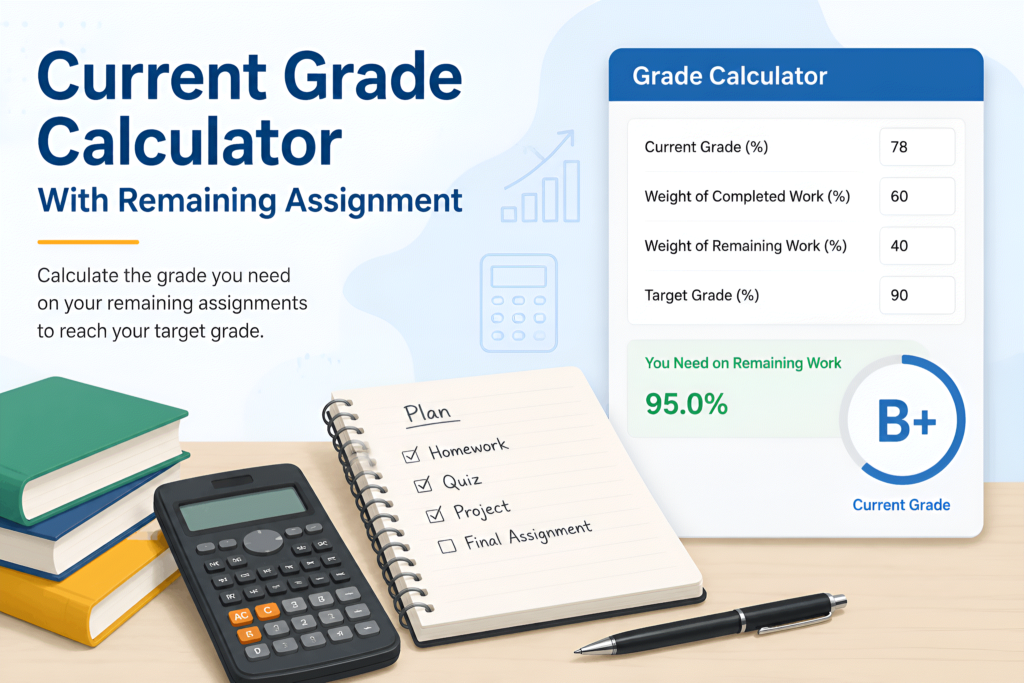
Current Grade Calculator With Remaining Assignment: Calculate Your Final Grade
A Current Grade Calculator With Remaining Assignment helps students estimate how their grade could change after completing assignments that have not yet been graded. Instead of manually calculating weighted categories, current points, and remaining coursework, you can use a calculator to get a clearer picture of your possible final grade.
Whether you are trying to understand your current class standing, determine what score you need on an upcoming assignment, or estimate your final course grade, this type of calculator can make the process much easier.
The important difference is that a current grade and a projected final grade are not always the same. Your current grade is based on work that has already been graded, while your projected grade can include assignments that are still outstanding.
What Is a Current Grade Calculator With Remaining Assignment?
A Current Grade Calculator With Remaining Assignment is an online grading tool that combines your completed coursework with assignments that have not yet been completed or graded.
For example, imagine that you currently have a 84% average in a class. You still have several assignments remaining, and those assignments represent 20% of your final course grade. Your final grade could be higher or lower depending on the scores you receive on that remaining work.
A calculator can help you model different outcomes without doing the mathematics manually.
You may be able to enter information such as:
- Current grade
- Completed assignments
- Assignment weights
- Remaining assignments
- Expected scores
- Remaining coursework percentage
- Desired final grade
The calculator then uses the information you provide to estimate the resulting grade.
How Does the Calculator Work?
The basic concept is straightforward. Your final grade depends on the portion of the course that has already been completed and the portion that remains.
Suppose your completed coursework represents 75% of your final grade and your current average is 88%. You have another 25% of the course remaining.
If you earn 92% on the remaining coursework, your projected final grade can be calculated by combining the weighted contribution of both portions.
The general formula is:
Projected Final Grade = (Current Grade × Completed Weight) + (Expected Remaining Grade × Remaining Weight)
For example:
- Current grade = 88%
- Completed weight = 75%
- Expected remaining grade = 92%
- Remaining weight = 25%
The calculation becomes:
(88 × 0.75) + (92 × 0.25) = 89%
So, under those assumptions, the projected final grade would be approximately 89%.
The exact result depends on your school’s grading system and how assignments are weighted.
Why Use a Current Grade Calculator?
Manually calculating a grade can become confusing when a course contains multiple categories, different assignment weights, dropped scores, quizzes, exams, projects, and other grading rules.
A calculator gives you a convenient way to experiment with different scenarios.
1. Check Your Current Academic Standing
Before worrying about future assignments, it helps to understand where you currently stand.
Entering your completed grades can give you an estimate of your current average. This can be particularly useful when your learning management system does not clearly show how the grade was calculated.
2. Estimate Your Final Grade
A remaining-assignment calculator can help you see how future scores could affect your final result.
You can test different possibilities instead of relying on one guess.
For example, you might compare:
- 70% on remaining work
- 80% on remaining work
- 90% on remaining work
- 95% on remaining work
- 100% on remaining work
This creates a simple range of possible outcomes.
3. Understand Assignment Weight
Not every assignment affects your grade equally.
A small homework assignment may have little effect, while a final examination could have a much larger effect.
Understanding the weight of remaining work helps you determine how much those assignments can actually change your final grade.
4. Set a Realistic Grade Goal
If you want to finish a course with a particular grade, a calculator can help you determine the approximate average you would need on your remaining coursework.
For example, if your current grade is 82% and you want to finish with an 85%, the required remaining score depends heavily on how much coursework is still available.
This is more useful than simply assuming that every future assignment has the same impact.
Current Grade vs. Final Grade
One of the most common grading mistakes is confusing a current grade with a projected final grade.
Your current grade represents the work that has already been included in the calculation.
Your projected final grade considers both completed coursework and assumptions about future coursework.
For example, suppose your current average is 90%. If you have already completed 95% of the course, there may be relatively little opportunity for your final grade to change significantly.
However, if only 50% of the course has been completed, your final grade may change considerably depending on your remaining scores.
Therefore, the same current grade can lead to very different final-grade possibilities depending on how much coursework remains.

How to Calculate Your Grade With Remaining Assignments
You can follow a few simple steps when using a Current Grade Calculator With Remaining Assignment.
Step 1: Find Your Current Grade
First, identify the grade you have earned from completed coursework.
Your school’s gradebook may display this as a percentage, letter grade, points, or weighted average.
Step 2: Determine How Much Has Been Completed
Next, identify the percentage of the final grade that has already been completed.
For example, if completed assignments represent 70% of the course, then 30% remains.
Step 3: Determine the Weight of Remaining Work
Find out how much your remaining assignments contribute to the final grade.
This information may appear in your syllabus, learning management system, or grading policy.
Step 4: Enter an Expected Remaining Score
Choose a score you think you could achieve on the remaining coursework.
You can repeat the calculation with different scores to compare possible outcomes.
Step 5: Review the Projected Result
The calculator combines the completed and remaining portions to provide an estimated final grade.
Remember that a projection is only an estimate. Your actual final grade depends on the scores you ultimately receive and your instructor’s grading rules.
Example: Calculating a Grade With One Remaining Assignment
Consider a student with a current grade of 86%.
The student has completed 80% of the course, while a final assignment represents the remaining 20%.
The student wants to know what happens if they earn 95% on the final assignment.
The calculation is:
(86 × 0.80) + (95 × 0.20)
This produces a projected final grade of 87.8%.
If the student instead earns 75% on the remaining assignment:
(86 × 0.80) + (75 × 0.20)
The projected final grade would be 83.8%.
This example shows why the weight of the remaining assignment matters.
What If There Are Multiple Assignments Remaining?
A course may have several assignments left rather than one final project.
In that situation, the calculation depends on how those assignments are weighted.
For example, suppose you have:
- Homework: 10%
- Quizzes: 15%
- Projects: 25%
- Midterm: 20%
- Final exam: 30%
If some categories have already been completed and others remain, calculating the final grade requires considering each category separately.
A calculator designed for remaining assignments can make this process easier by allowing you to enter the relevant scores and weights.
The more accurately you enter your grading information, the more useful your projection will be.
How Accurate Is a Grade Projection?
A grade projection can be mathematically accurate based on the information entered, but it cannot predict the scores you will actually receive.
For example, if you enter an expected score of 95% for an upcoming exam, the calculator can determine what your final grade would be if you actually receive 95%.
It cannot guarantee that result.
Your projection can also be affected by:
- Different grading categories
- Extra credit
- Dropped assignments
- Grade replacement policies
- Rounding rules
- Attendance policies
- Curved exams
- Missing assignments
- Teacher-specific grading methods
Always check your course syllabus or instructor’s grading policy when the calculation is unclear.
What Score Do I Need on My Remaining Assignment?
One of the most useful applications of a remaining-assignment calculator is finding the score required to reach a target grade.
Suppose your goal is to finish with a specific percentage.
You already know:
- Your current grade
- The amount of coursework completed
- The amount remaining
- Your desired final grade
The calculator can work backward from your target and estimate the score needed on the remaining coursework.
The general relationship can be represented as:
Required Remaining Grade = (Target Final Grade − Current Grade × Completed Weight) ÷ Remaining Weight
For example, if your current grade is 82%, 80% of the course is complete, and you want a final grade of 85%, the remaining 20% has a major role in determining whether that target is mathematically achievable.
This type of calculation is especially useful before an important exam or project.
Can One Assignment Change My Grade a Lot?
Yes, but it depends on the assignment’s weight.
A 5% homework assignment generally cannot change your overall course grade as much as a final examination worth 30%.
For example, if your current grade is 90% and a remaining assignment is worth only 5% of the course, even an extremely high or low score on that assignment will have a relatively limited effect.
If the remaining assignment represents 30% of the final grade, its effect can be substantially larger.
This is why looking at the remaining percentage of the course is often more useful than looking only at the number of assignments left.

Current Grade Calculator for Weighted Classes
Weighted grading systems give different categories different levels of importance.
For example:
| Category | Weight |
|---|---|
| Homework | 15% |
| Quizzes | 15% |
| Projects | 20% |
| Midterm | 20% |
| Final Exam | 30% |
A student cannot simply average all scores together if the categories have different weights.
Instead, each category contributes according to its assigned percentage.
For instance, a 90% in homework may have less influence on the final grade than an 80% on a final exam worth twice as much.
A weighted calculator accounts for these differences.
Current Grade Calculator for Points-Based Classes
Some instructors use a points-based grading system rather than category weights.
In this system, your grade may be calculated by dividing total points earned by total possible points.
The basic formula is:
Current Grade = Points Earned ÷ Points Possible × 100
For example, if you have earned 430 points out of 500 possible points:
430 ÷ 500 × 100 = 86%
If you have another 100-point assignment remaining and earn 90 points, your updated grade would be:
520 ÷ 600 × 100 = 86.67%
This method differs from a weighted-category system, so it is important to know which grading model your instructor uses.
Common Mistakes When Calculating a Final Grade
Even simple grade calculations can produce incorrect results when the wrong information is entered.
Mistake 1: Treating Every Assignment Equally
An assignment worth 2% does not have the same impact as an exam worth 25%.
Always check the weight or points associated with the assignment.
Mistake 2: Confusing Current Grade With Overall Grade
Some gradebooks calculate your current average using only graded work. Others may temporarily count missing work as zero.
Check how your school’s gradebook handles ungraded and missing assignments.
Mistake 3: Ignoring Remaining Coursework
A current grade does not necessarily tell you what your final grade will be.
If significant coursework remains, your grade can still change.
Mistake 4: Forgetting Extra Credit
Extra-credit points may be calculated differently from regular assignments. If your instructor provides extra credit, check how those points affect the course total.
Mistake 5: Using the Wrong Grading Method
A points-based class and a weighted-category class require different calculations.
Using the wrong method can produce an inaccurate projection.
Tips for Getting a More Accurate Grade Estimate
For the most useful result, gather your grading information before using the calculator.
Check your syllabus and gradebook for:
- Current percentage
- Total points earned
- Total points possible
- Assignment weights
- Remaining coursework
- Category percentages
- Extra-credit rules
- Dropped-score policies
- Final exam weight
If you are unsure about a grading rule, ask your instructor rather than making an assumption.
Who Can Use a Current Grade Calculator?
A Current Grade Calculator With Remaining Assignment can be useful for many students.
High School Students
Students can use the tool to monitor grades before tests, projects, or final examinations.
College Students
College courses often use weighted categories, making projections useful when major exams or projects remain.
Online Students
Online courses may have many separate assignments, quizzes, discussions, and exams. A calculator can make it easier to understand their combined effect.
Teachers
Teachers can use similar calculations to explain grading scenarios to students or verify manual calculations.
Parents and Guardians
Parents can use projected grades to understand how remaining coursework could affect a student’s overall academic result.
Frequently Asked Questions
What is a Current Grade Calculator With Remaining Assignment?
It is a tool that estimates your grade by combining your current academic performance with the expected scores or weights of assignments that remain.
Can I calculate my final grade if assignments are still missing?
Yes. If you know the weighting or point value of the remaining assignments, you can estimate how different scores could affect your final grade.
How do I calculate what I need on my final assignment?
Enter your current grade, the percentage already completed, the percentage represented by the remaining assignment, and your desired final grade. A calculator can then estimate the required score.
Does a remaining assignment always change my grade significantly?
No. The impact depends on how much the assignment contributes to the overall course grade. A small assignment may have little effect, while a heavily weighted exam can have a much larger impact.
Can I use this calculator for weighted grades?
Yes, provided the calculator supports weighted categories. Make sure you enter the correct percentage for each category.
Can I use it for a points-based class?
Yes, if the calculator supports points-based grading. In a points system, your grade is generally based on points earned compared with points possible.
Is the projected final grade guaranteed?
No. It is an estimate based on the assumptions and scores entered. Your actual final grade depends on your eventual results and your instructor’s grading rules.
What information do I need before using the calculator?
You should know your current grade or points, completed coursework, remaining coursework, assignment weights or point values, and the expected score you want to test.
Final Thoughts
A Current Grade Calculator With Remaining Assignment provides a practical way to understand where you stand academically and how future coursework could affect your final result.
Instead of guessing whether one upcoming assignment will make a major difference, you can examine different scenarios using actual grading weights. You can also calculate potential final grades, compare expected scores, and determine what performance may be required to reach a particular academic target.
For the most accurate result, always use the grading method specified by your instructor. Weighted categories, total points, extra credit, dropped scores, and other classroom policies can affect the final calculation.
The calculator should therefore be viewed as a planning and estimation tool. When used with accurate course information, it can make grade planning much clearer and easier.